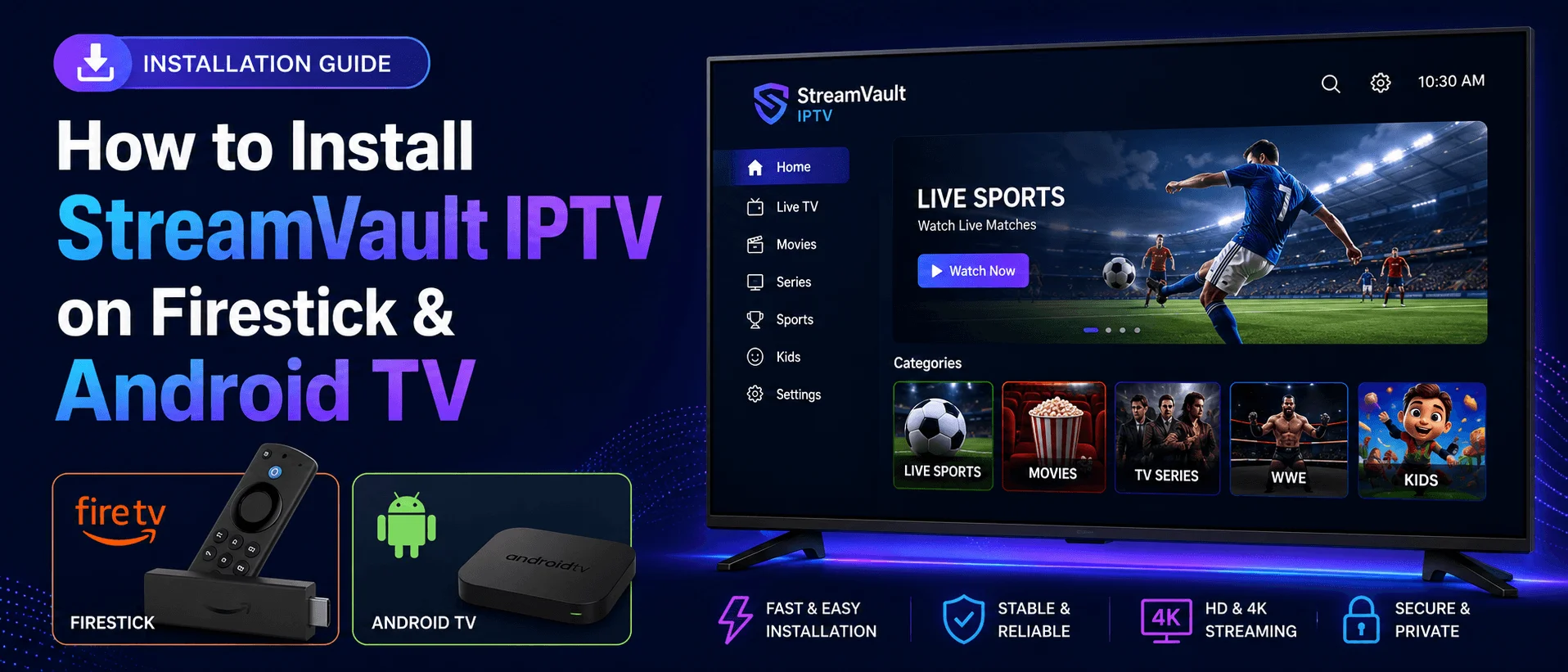
How to Install StreamVault IPTV on Firestick & Android TV
In this guide
StreamVault IPTV is a free IPTV player for Firestick, Android TV, and Google TV devices. It works with IPTV services that provide an M3U playlist, Xtream Codes login, or XMLTV guide data.
This guide explains how to install StreamVault IPTV, add your IPTV service, and understand its main features.
Important: StreamVault is only a media player. It does not include channels, subscriptions, or content. You need your own IPTV subscription credentials from your provider.
What Is StreamVault IPTV?
StreamVault is a live TV player built mainly for Android TV and Google TV devices. It supports common IPTV login methods, including M3U URLs, local M3U files, Xtream Codes, and XMLTV guide data.
The app also includes useful features such as EPG guide support, favorites, recording options, parental controls, search, recently watched content, and multi-view.
Supported Devices
StreamVault IPTV can be installed on most Android-powered streaming devices, including:
- Amazon Firestick
- Fire TV devices
- Android TV boxes
- Google TV devices
- Onn Android TV boxes
- NVIDIA Shield TV
Since StreamVault may not be available in every official app store, many users install it manually using the Downloader app.
How to Install StreamVault IPTV on Firestick or Android TV
Step 1: Install Downloader
Install the official Downloader app by AFTVNews on your Firestick, Android TV, or Google TV device. Downloader lets you download APK files directly on your streaming device.
Step 2: Enable Unknown Apps
On Firestick, open your device settings and allow Downloader to install apps from unknown sources.
On Android TV or Google TV, this setting may appear under security, privacy, or app permissions depending on your device.
Step 3: Open Downloader
Launch Downloader and select the URL/search box.
Step 4: Enter Download URL or Code
Enter the StreamVault APK download URL or code from your trusted source, then select Go.
Safety tip: Only download APK files from trusted sources. Avoid random apps using the same name because they may be unofficial or unsafe.
Step 5: Download APK
Wait for the APK file to download. Once the download finishes, Downloader should show the install screen.
Step 6: Install StreamVault
Select Install and wait for the installation to finish.
Step 7: Open StreamVault
Open StreamVault. You should see different login options for adding your IPTV service.
How to Add Your IPTV Service to StreamVault
After opening StreamVault, choose the login method your IPTV provider gave you. Most IPTV services provide either an M3U playlist URL or Xtream Codes login details.
Option 1: Add M3U Playlist URL
- Select the M3U playlist option.
- Enter a playlist name.
- Paste your M3U URL.
- Select Add Playlist.
- Wait for StreamVault to import your channels and categories.
Option 2: Add Xtream Codes Login
- Select the Xtream Codes login option.
- Enter your server URL.
- Enter your username.
- Enter your password.
- Save and wait for the app to load your playlist.
Once your playlist loads, you can open the Live TV section and browse your channels, categories, movies, series, and guide data depending on what your IPTV provider includes.
StreamVault IPTV Features
- M3U URL support
- Local M3U file support
- Xtream Codes login support
- XMLTV EPG guide support
- Live TV categories
- Movies and series sections
- Favorites manager
- Recently watched section
- Global search
- Multi-view split-screen
- Built-in recording options
- Parental controls
- Catch-up support when available from provider
- Multiple language support
StreamVault IPTV Review
StreamVault is a useful IPTV player for users who want a free app with advanced features. It offers more options than many basic IPTV players, especially because it supports M3U, Xtream Codes, EPG, favorites, recording, and multi-view.
The app is best suited for Android TV, Google TV, and Firestick users who are comfortable installing APK files manually.
What We Like
- Free IPTV player with useful features
- Supports both M3U and Xtream Codes
- Clean live TV layout
- EPG support for TV guide data
- Favorites and recently watched features
- Multi-view support
- Recording options available
- Good option for Android TV and Firestick users
What Could Be Better
- Manual APK installation may be required
- Setup can take more time than simpler IPTV players
- Newer app, so long-term updates depend on developer support
- Some smaller screens may feel crowded depending on app version
Is StreamVault IPTV Safe?
StreamVault is a third-party IPTV player, so users should be careful when downloading APK files. Always use trusted sources and avoid unofficial apps using similar names.
Before installing any APK, scan the file with a security tool if possible. This helps reduce the risk of installing modified or unsafe files.
Does StreamVault Include Channels?
No. StreamVault does not provide live TV channels, movies, series, or subscriptions. It is only a player. To use it, you need IPTV login details from your provider.
Need IPTV Setup Help?
IPTVSMARTERZ provides setup guides for Firestick, Android TV, Smart TV, MAG, Formuler, Windows, Apple devices, and more.
View Setup Guides | View Subscription Plans | Request Free Trial
Frequently Asked Questions
Is StreamVault IPTV free?
Yes. StreamVault is known as a free IPTV player. However, it does not include IPTV channels or subscriptions.
Can I use StreamVault on Firestick?
Yes. StreamVault can be installed on Firestick by sideloading the APK with Downloader.
Can I use StreamVault with Xtream Codes?
Yes. StreamVault supports Xtream Codes login if your IPTV provider gives you a server URL, username, and password.
Does StreamVault support EPG?
Yes. StreamVault supports XMLTV guide data and EPG features when your IPTV provider includes guide information.
Does StreamVault provide IPTV channels?
No. StreamVault is only a player. You need an active IPTV subscription from your provider.
Continue with IPTVSMARTERZ
Ready to start streaming? Choose a plan, request a trial, or follow a setup guide for your device.