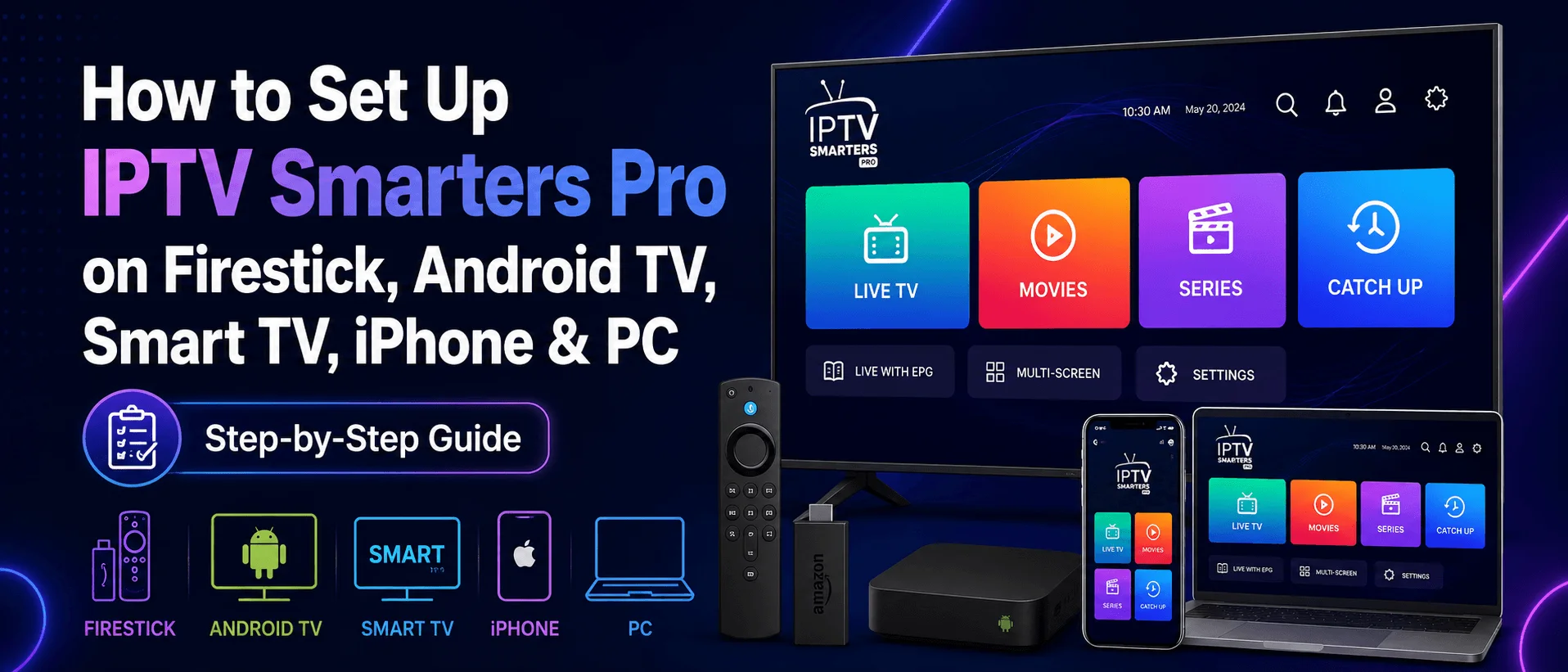
How to Set Up IPTV Smarters Pro on Firestick, Android TV, Smart TV, iPhone & PC
In this guide
What Is IPTV Smarters Pro?
IPTV Smarters Pro is one of the most popular IPTV player apps for watching live TV, movies, series, catch-up, and TV guide content from an IPTV subscription.
The app does not include channels by itself. To use it, you need IPTV login details from your provider, usually in the form of Xtream Codes login or an M3U playlist URL.
Important: IPTV Smarters Pro is only a media player. It does not provide live TV channels, subscriptions, movies, or series. You must use your own IPTV subscription credentials.
Supported Devices
IPTV Smarters Pro works on many popular devices, including:
- Android smartphones
- Android TV boxes
- Firestick and Fire TV devices
- Smart TVs
- iPhone and iPad
- Apple TV
- Windows computers
- Mac computers
This makes IPTV Smarters Pro a flexible option if you want to use one IPTV app across different devices.
Where to Download IPTV Smarters Pro
The safest option is to download IPTV Smarters Pro from the official IPTV Smarters website or from your device app store when available.
App availability can change depending on device, region, and app store rules. If the app is not available in your app store, Firestick and Android TV users may need to install the APK manually using Downloader.
How to Install IPTV Smarters Pro on Android Devices
For Android smartphones, Android TV boxes, and Android-based Smart TVs, you can install IPTV Smarters Pro using the official APK file from the IPTV Smarters website.
- Open your browser or Downloader app.
- Go to the official IPTV Smarters download page.
- Download the Android APK file.
- Allow installation from unknown sources if required.
- Install the app.
- Open IPTV Smarters Pro.
Safety tip: Avoid random modified APK files. Only use trusted download sources to protect your device and login details.
How to Install IPTV Smarters Pro on Firestick
IPTV Smarters Pro may need to be installed manually on Firestick using Downloader.
Step 1: Install Downloader
Search for the Downloader app on your Firestick and install it.
Step 2: Enable Unknown Apps
Go to your Firestick settings and enable app installation from unknown sources for Downloader.
The path is usually:
Settings → My Fire TV → Developer Options → Install Unknown Apps → Downloader → ON
Step 3: Download IPTV Smarters Pro
Open Downloader and enter the official APK URL from IPTV Smarters or use a trusted download source.
Step 4: Install the App
After the APK downloads, select Install. Once installed, open IPTV Smarters Pro and continue with setup.
How to Install IPTV Smarters Pro on Samsung Smart TV
On Samsung Smart TV, open the Smart Hub or Apps section and search for IPTV Smarters Pro or Smarters Player if available in your region.
If available, install the app and open it. If it is not available, you may need to use another compatible IPTV player for Samsung TV.
How to Install IPTV Smarters Pro on LG Smart TV
On LG Smart TV, press the Home button on your remote and open the LG Content Store. Search for IPTV Smarters Pro or Smarters Player if available.
If available, install the app from the store. If the app is not listed, use another IPTV player available for LG webOS.
How to Install IPTV Smarters Pro on iPhone, iPad, or Apple TV
For Apple devices, search the App Store for Smarters Player Lite or an IPTV Smarters-compatible app. Install the app and use your IPTV subscription details to log in.
How to Install IPTV Smarters Pro on Windows or Mac
IPTV Smarters also provides desktop versions for Windows and Mac through official download sources.
- Download the correct version for your operating system.
- Install the app on your computer.
- Open IPTV Smarters Pro.
- Log in using Xtream Codes or M3U playlist details.
Best Setup Method: Xtream Codes API
The recommended setup method is Xtream Codes API. This method is easier for most users because it usually loads live TV, movies, series, and EPG guide data automatically.
Xtream Codes login usually requires:
- Server URL
- Username
- Password
How to Set Up IPTV Smarters Pro with Xtream Codes API
Step 1: Open IPTV Smarters Pro
Launch the app after installation.
Step 2: Add User
Select Add User or Add New User, depending on your app version.
Step 3: Choose Xtream Codes API
Select Login with Xtream Codes API.
Step 4: Enter Login Details
Fill in the required fields:
- Any Name: Choose any profile name, such as IPTVSMARTERZ.
- Username: Enter your IPTV username.
- Password: Enter your IPTV password.
- Server URL: Enter the portal/server URL from your provider.
Step 5: Add User
Select Add User and wait for the app to load your account.
Step 6: Open Live TV
After the app loads, select Live TV. Choose a channel category, then select a channel to start watching.
Step 7: Load the EPG
If guide data is available from your provider, IPTV Smarters Pro should load EPG automatically with Xtream Codes. If needed, select Install EPG inside the app.
How to Set Up IPTV Smarters Pro with M3U Playlist
You can also set up IPTV Smarters Pro using an M3U playlist URL. This method works well, but you may need a separate EPG URL if your guide does not load automatically.
Step 1: Open the App
Launch IPTV Smarters Pro on your device.
Step 2: Choose Playlist Login
Select Add User, then choose Login with Playlist.
Step 3: Enter Playlist Details
Add a playlist name, choose M3U URL, and paste the playlist URL from your IPTV provider.
Step 4: Add EPG URL if Needed
If your provider gives you a separate EPG URL, enter it when prompted or inside the EPG settings.
Step 5: Open Live TV
Once the playlist loads, open Live TV, select a channel group, then choose a channel.
IPTV Smarters Pro Features
- Live TV support
- Movies and series sections
- Catch-up support when available from provider
- EPG TV guide support
- Multi-screen viewing
- Parental controls
- Built-in player
- External player support
- Recording support on some devices
- Dynamic language support
- Simple and user-friendly layout
Xtream Codes vs M3U Playlist: Which Is Better?
For most users, Xtream Codes is better because it is easier to enter and usually loads EPG, movies, series, and live TV categories more smoothly.
M3U playlist setup is still useful if your provider only gives a playlist URL or if you prefer using a direct playlist link.
Common IPTV Smarters Pro Setup Issues
Invalid Details Error
Check your username, password, and server URL. A missing character in the server URL can stop login from working.
Channels Not Loading
Restart the app and device. If the issue continues, check if your IPTV service is active.
EPG Not Showing
Try selecting Install EPG inside the app. If using M3U, ask your provider if a separate EPG URL is required.
App Not Available in Store
App availability depends on device and region. If the app is not available, use a compatible IPTV player for your device.
Need IPTVSMARTERZ Login Details?
If you are an IPTVSMARTERZ customer, use the login details sent to your email after purchase. You can also find your credentials inside your Client Area.
View Setup Guides | View Subscription Plans | Contact Support
Frequently Asked Questions
Does IPTV Smarters Pro include channels?
No. IPTV Smarters Pro is only a player. You need IPTV login details from your provider.
What is the best login method for IPTV Smarters Pro?
Xtream Codes API is usually the easiest method because it can load live TV, movies, series, and EPG data automatically.
Can I use IPTV Smarters Pro on Firestick?
Yes. Firestick users can install IPTV Smarters Pro manually using Downloader if it is not available in the app store.
Can I use IPTV Smarters Pro on Smart TV?
Yes, if the app is available for your Samsung or LG Smart TV. Availability depends on model, region, and app store.
Do I need an EPG URL?
If you use Xtream Codes, EPG often loads automatically. If you use M3U playlist, your provider may give a separate EPG URL.
Is IPTV Smarters Pro free?
IPTV Smarters Pro may be free or available in different versions depending on device and source. Your IPTV subscription is separate from the app.
Continue with IPTVSMARTERZ
Ready to start streaming? Choose a plan, request a trial, or follow a setup guide for your device.